Track & troubleshoot / BNT DOOM GUIDES
Understand Your Trade History
Read submitted, resting, partial, filled, canceled and rejected orders. Distinguish actual fills, fees and cash movement from a requested limit.
On this page
Start with the right record
Open Trade History from the signed-in dashboard. The page provides All, Buys, Sells and Open filters, pagination and a Refresh action. Check the displayed time and timezone and match the market ticker to the round you are investigating.
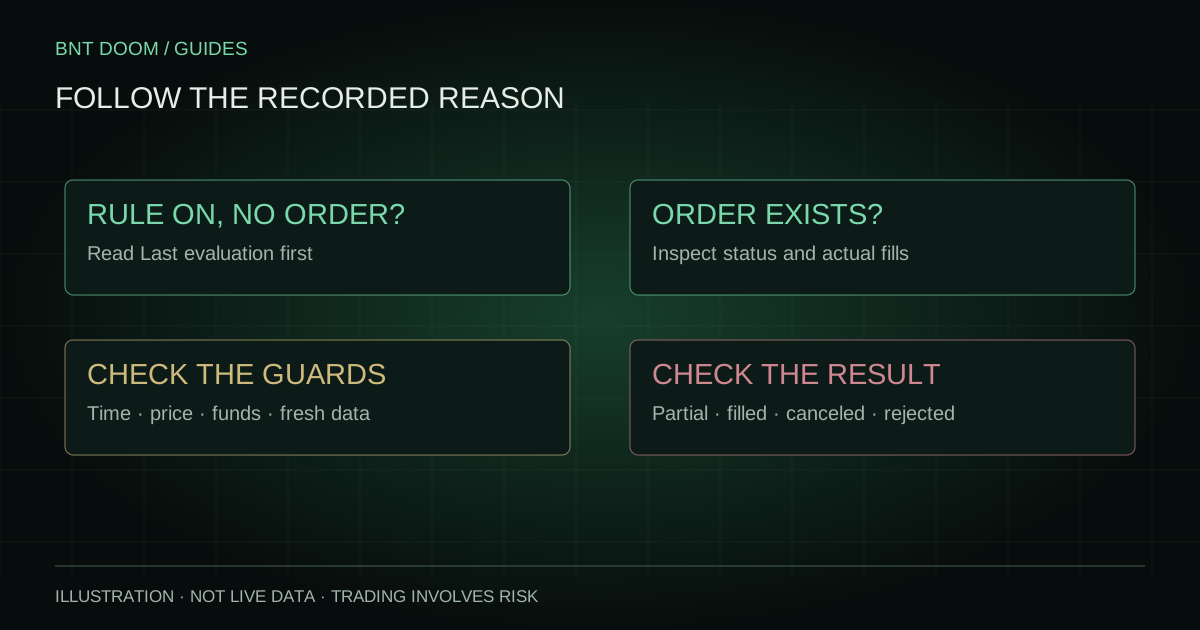
History records order attempts and reconciled execution information. A rule evaluation that was skipped before submission is investigated in the automation panel instead. A row marked Auto identifies an automatic attempt; it does not by itself establish success or a fill.
Understand the possible states
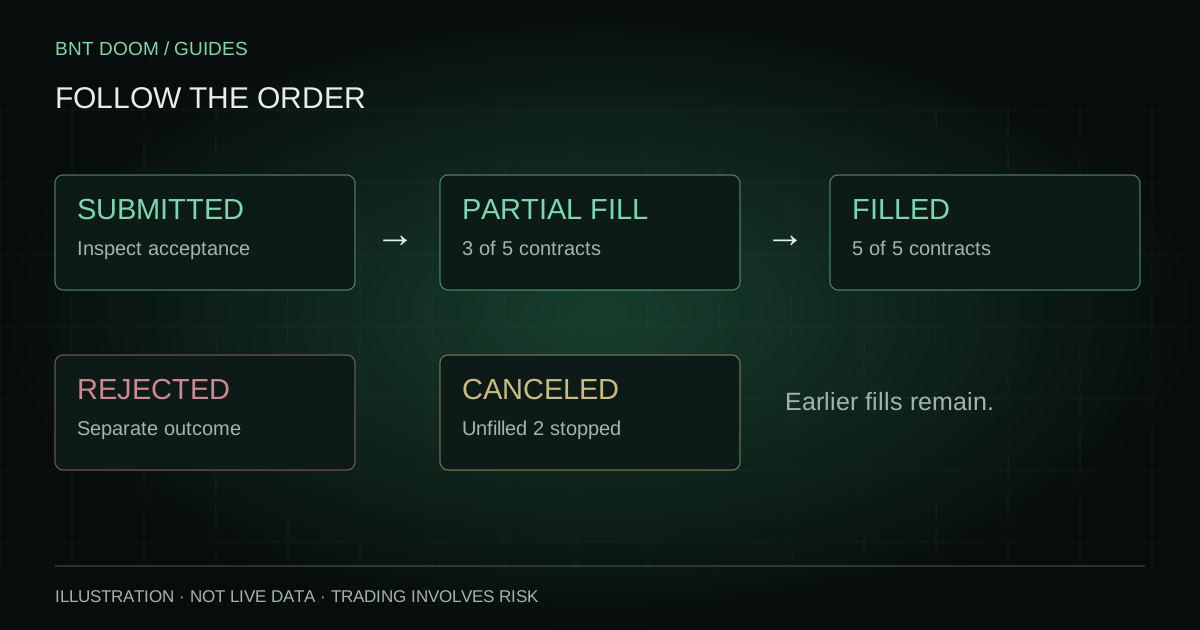
An order can pass through several states, and not every order follows the same path. A partial fill may be followed by more fills or a cancellation of the remainder. Rejection is a different branch, not a normal stage after a fill.
| State | How to read it |
|---|---|
| Submitted | An attempt was sent; inspect acceptance and fills. |
| Resting / open | Unfilled quantity remains working at the exchange. |
| Partially filled | Some quantity executed; inspect filled and remaining amounts. |
| Filled | Requested quantity executed; use the reported average price and fees. |
| Canceled | Remaining quantity stopped; earlier fills can still exist. |
| Rejected | The attempt was refused; read the available reason and do not invent a fill. |
Read fills, fees and net movement together
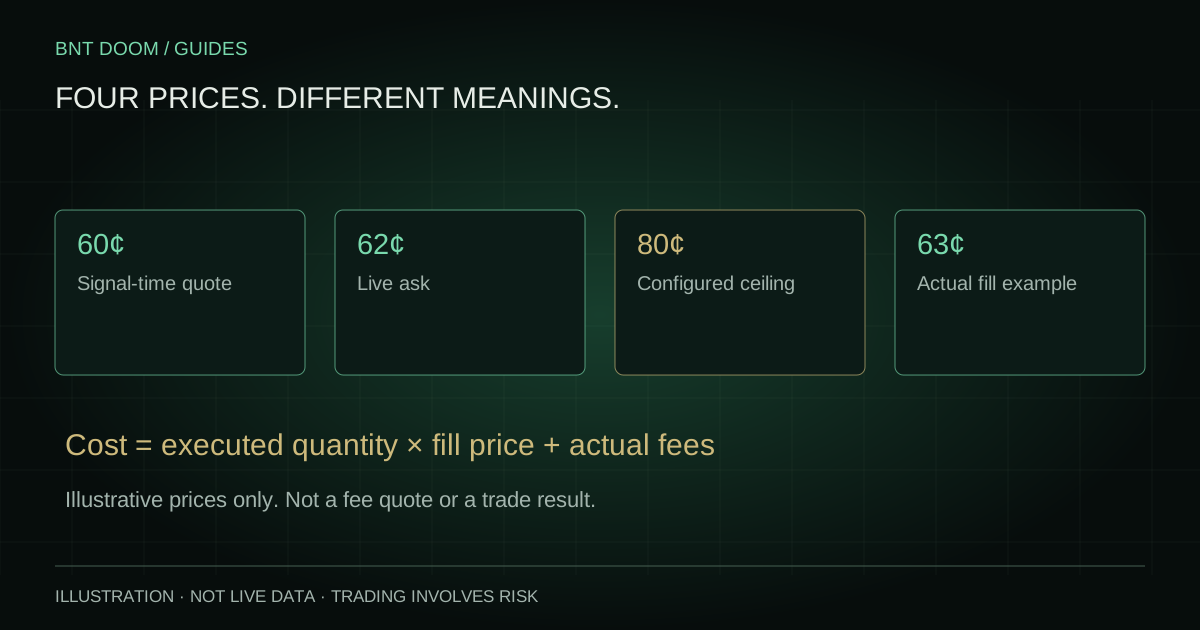
The requested limit is not the actual average fill price. A fill can execute at a different allowed price, and several fills can form a weighted average. Use the displayed fill count, average fill price and actual fees to establish what occurred.
Net cash spent on a buy is not a realized loss, and net cash received from a sell is not automatically profit. You need the corresponding entry cost, exit or settlement proceeds, fees and any remaining position to calculate a completed result. A still-open position also carries unresolved exposure.
When reconciliation information is unavailable, DOOM leaves the missing amount unavailable rather than substituting the limit price. Do not treat missing data as a zero fee or zero-value fill.
An illustrative partial-fill example
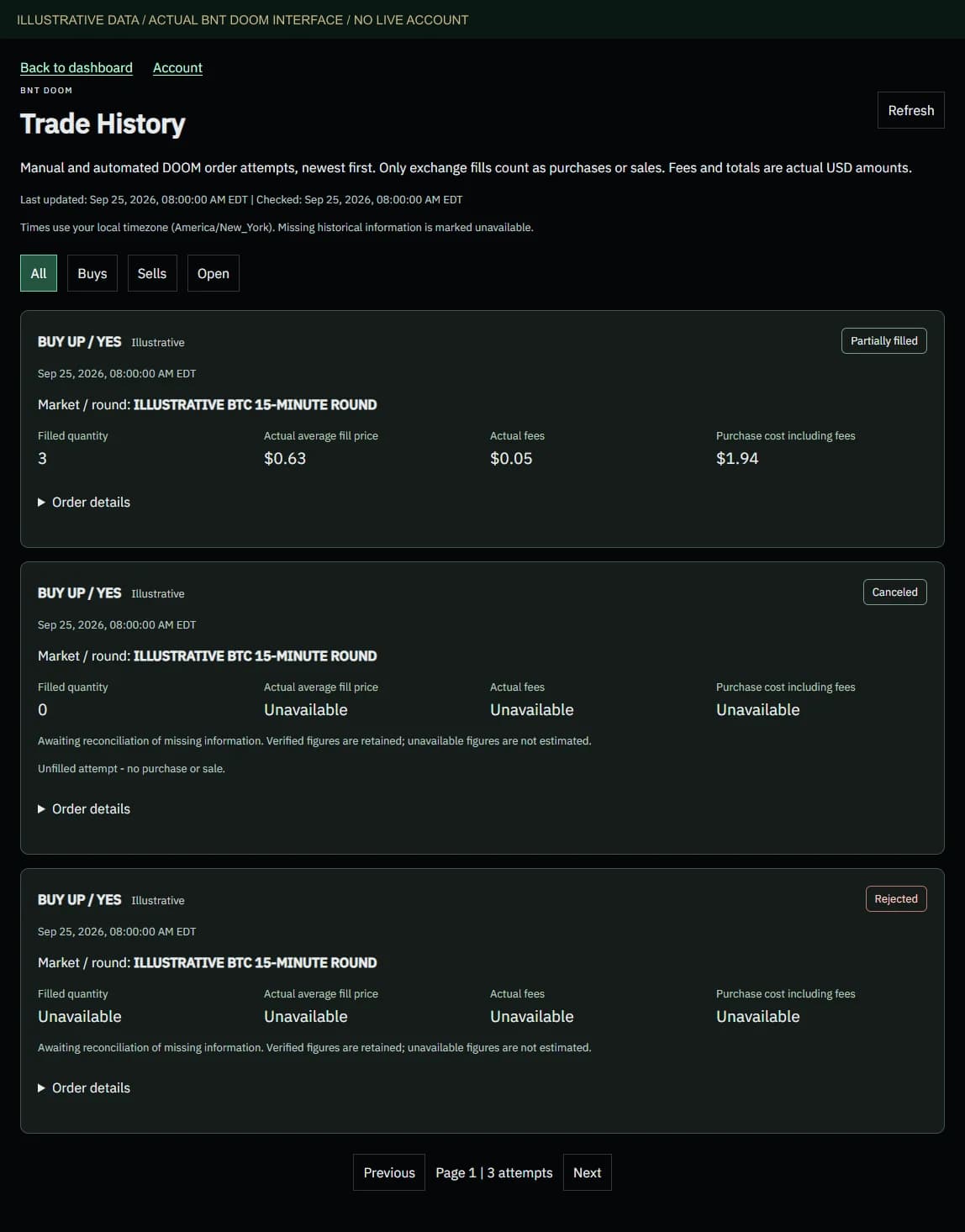
Suppose an order requests five contracts and three fill. The filled quantity is three and the remaining quantity is two. If those two are later canceled, the three executed contracts still exist. A cancellation does not undo the earlier fills.
The sanitized screenshot uses illustrative rows in the real current interface. It shows no customer email, account balance, credentials or real order identifiers. Its numbers illustrate how fields are arranged; they are not a public performance history.
- Compare original, filled and remaining quantity.
- Check whether the status describes the entire attempt or only the unfilled remainder.
- Match buy and sell legs by market and side before reasoning about a position’s result.
When the record is incomplete or rejected
Use Refresh and review the last-updated information. A failed refresh can leave older rows visible; those rows are historical information, not confirmation of the current exchange state. Inspect the expanded details for available rejection and reconciliation information.
If an attempt is rejected or uncertain, do not automatically repeat it. Check the exchange order record and your holdings first. For support, provide the timestamp, market and sanitized status message through the existing support channel. Keep private keys, passwords and account identifiers out of public screenshots.
Sources and verification
Product controls checked against the current implementation. Official exchange sources reviewed on 25 September 2026; the specific market’s rules and current fee schedule remain authoritative.