Configure / BNT DOOM GUIDES
Connect Kalshi to BNT DOOM
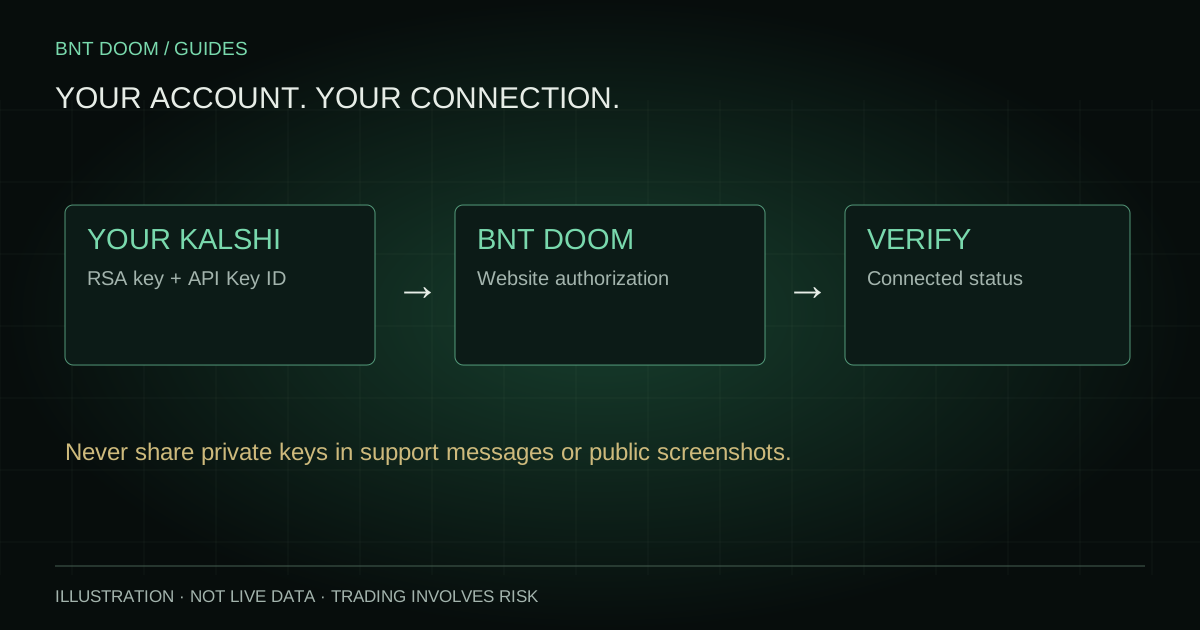
Connect your own Kalshi production account with an API Key ID and RSA private-key file, then verify the actual connection state in BNT DOOM.
On this page
Prepare the right accounts
You need your BNT website account and your own eligible Kalshi account. Completing BNT sign-in does not automatically connect Kalshi. Contact the existing support or Discord destinations for purchasing and access instructions, then complete verification and access approval.
The current DOOM connection form is for Kalshi production credentials. Do not paste demo credentials into it. No transfer, withdrawal or alternate-platform connection is offered by this guide.
Create and retain an RSA key at Kalshi
Open Kalshi’s account settings and locate API Keys. Generate an RSA key pair, retain the downloaded private-key file and copy the separate API Key ID. The ID and private key are different inputs. Kalshi’s current documentation also describes Ed25519, but this DOOM form and its signer use RSA; choose RSA for this workflow.
Use the read and write::trade permissions requested by DOOM’s connection help, without transfer permissions. Keep the downloaded key private. Kalshi does not let you recover the same private key after its initial creation screen is closed, so save it securely before continuing.
Complete the website’s connection form
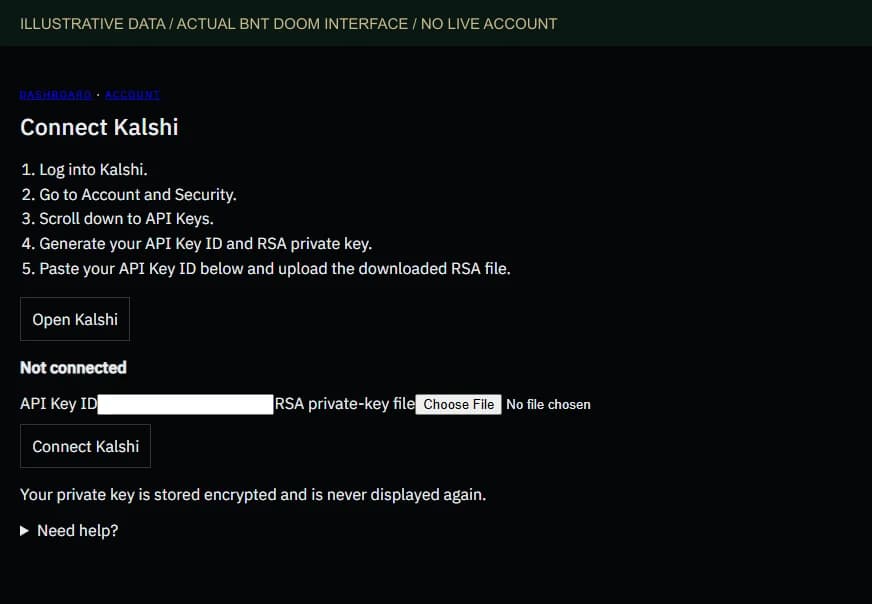
While signed in, open Connect Kalshi. Paste the API Key ID into its labeled field and upload the RSA private-key file; the current form accepts .key, .pem and .txt files. Click Connect Kalshi. When prompted, enter your BNT website password to authorize the change. This is not your Kalshi password.
The screenshot shows the actual form with no real credentials, account identifiers or balances. Credentials belong only in the signed-in connection form, never in a guide example, support email, Discord message or screenshot.
Verify Connected, not merely saved
Wait for the returned connection result. The current form reports Connected only when the exchange connection check succeeds; a saved credential by itself does not establish connectivity. Not connected, Connecting and Connection unavailable should not be read as permission to trade.
After connection, return to the dashboard and check Available for BTC trading for the current market. The connection page’s total cash can span exchanges, while market buying power may be lower. A disconnected, unavailable or stale balance must not be interpreted as available funds.
If connection fails, check that the ID matches the RSA file, that the key is for the correct production account and that it has the required permissions. Read the displayed error rather than sharing the key with someone else.
Replace or revoke credentials intentionally
The current form offers Replace credentials and Disconnect after credentials have been saved. Replacing or disconnecting also requires your website password. DOOM states that the private key is stored encrypted and is not displayed again.
Disconnecting DOOM does not cancel Kalshi orders or delete the API key at Kalshi. Review your orders and positions separately. To revoke the key itself, remove it in Kalshi’s API Keys settings. Do not assume that disconnecting closes a position or realizes its result.
Sources and verification
Product controls checked against the current implementation. Official exchange sources reviewed on 25 September 2026; the specific market’s rules and current fee schedule remain authoritative.